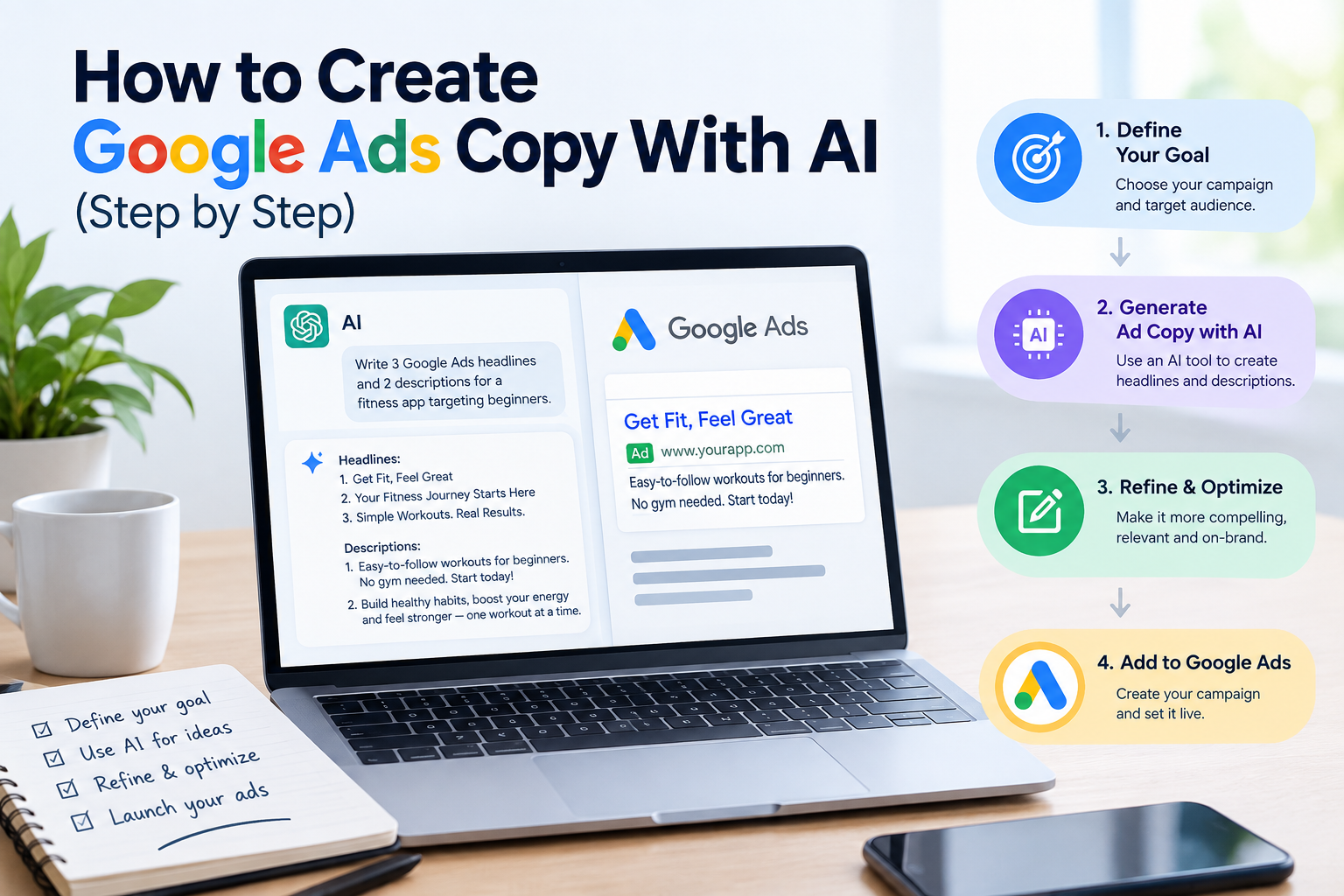
Writing Google Ads copy is a tight puzzle. You get a handful of short headlines and descriptions, strict character limits and a few seconds to convince someone to click instead of choosing the next result. Many small business owners either write one generic ad and hope for the best, or spend hours rewriting the same sentence.
AI is well suited to this job. It can produce dozens of headline variations in seconds, adapt your message to different audiences and help you test ideas quickly. But AI doesn’t know your customers, your margins or Google’s ad policies unless you tell it. The difference between a wasteful campaign and a profitable one is mostly in how you brief the AI and how you edit its output.
This guide shows you a complete process, with prompts you can copy and paste.
What you’ll need:
- A Google Ads account (or a draft campaign).
- A list of the keywords or services you want to advertise.
- An AI assistant such as ChatGPT, Claude or Gemini.
- About 45 minutes.
How Google search ads are structured
Most search campaigns use responsive search ads. Instead of one fixed ad, you provide several headlines and descriptions, and Google tests different combinations to find what performs best.
The typical limits are:
| Element | Limit (typical) |
|---|---|
| Headlines | Up to 15, each up to 30 characters |
| Descriptions | Up to 4, each up to 90 characters |
| Display URL path | Two fields of up to 15 characters each |
Limits can change, so check the current specifications inside Google Ads. The important point is that you need many short, varied pieces that make sense in any combination. That is exactly what AI can help you produce.
Step 1: Gather your inputs (10 minutes)
Before you write a prompt, collect the facts that make an ad specific. Generic inputs create generic ads.
Write down:
- The product or service you are advertising (one per ad group).
- The target keyword or search intent (for example, “emergency plumber near me”).
- Your location or service area.
- Your main benefit: what the customer gets (fast response, lower cost, guaranteed work).
- Proof: reviews, years in business, certifications, number of customers served.
- Your offer: free quote, discount, free shipping, same-day service.
- Constraints: words you can’t use, claims you can’t legally make, price ranges.
- Your call to action: call now, get a quote, book online, shop now.
Only use claims that are true and that you can prove. Ads with exaggerated or unverifiable claims can be disapproved.
Step 2: Brief the AI properly (5 minutes)
Give the AI a role, the facts and the format. Here is a reliable template.
Prompt: generate headlines
You are an experienced Google Ads copywriter. Write 15 headlines for a responsive search ad. Each headline must be 30 characters or fewer, including spaces. Business: [describe]. Service: [service]. Location: [city/area]. Target keyword: [keyword]. Main benefits: [list]. Proof points: [reviews, years, certifications]. Offer: [offer]. Call to action: [CTA]. Include a mix: some with the keyword, some focused on benefits, some on proof, some on the offer, and some with a call to action. Do not use exclamation marks, all caps or unverifiable claims like “best” or “#1”. Show the character count next to each headline.
Prompt: generate descriptions
Now write 4 descriptions for the same ad. Each must be 90 characters or fewer, including spaces. Each description should work with any headline. Include a clear benefit, a proof point and a call to action in different combinations. Show the character count next to each.
Always ask for the character count, then check it yourself. AI often misjudges length by a few characters.
Step 3: Cover different angles (10 minutes)
The strongest ad sets mix several approaches, so Google can discover which resonates. Ask the AI for variations organized by angle.
| Angle | Example idea (plumber) | What it answers |
|---|---|---|
| Keyword match | “Emergency Plumber in Austin” | “Is this what I searched for?” |
| Benefit | “Fast, Same-Day Repairs” | “What do I get?” |
| Proof | “4.9 Stars, 500+ Reviews” | “Can I trust you?” |
| Offer | “Free Quotes, No Obligation” | “What’s in it for me?” |
| Urgency | “Available 24/7 for Leaks” | “Will you help me now?” |
| Action | “Call Now for Quick Service” | “What do I do next?” |
Prompt: expand by angle
Write 5 additional headlines for each of these angles: keyword match, benefit, social proof, offer, urgency and call to action. All must be 30 characters or fewer. Business context: [paste your inputs].
You will end up with more options than you need. That is fine. You’ll select the best 15.
Step 4: Edit and select (10 minutes)
AI drafts need human judgment. Go through the list and apply this checklist:
- Accuracy. Is every claim true? Remove anything you can’t back up.
- Policy compliance. Avoid excessive punctuation, all caps, misleading offers and restricted claims. Review Google’s current ad policies, especially if you operate in finance, health, legal or other regulated areas.
- Variety. Don’t keep five headlines that say the same thing in different words.
- Mix-and-match test. Read a few random headline combinations aloud. Do they still make sense together?
- Keywords. Include your main keyword in at least a few headlines.
- Brand voice. Replace anything that doesn’t sound like your business.
- Pin carefully. Pinning a headline to a position reduces Google’s ability to test combinations. Use it only when something must appear, such as a legal disclaimer.
Prompt: improve weak lines
Here are my headlines. Identify the weakest 5 and rewrite them so they are more specific and benefit-driven, keeping each under 30 characters. Explain briefly why each rewrite is stronger: [paste headlines].
Step 5: Align the ad with the landing page
A good ad can still lose money if the page it sends people to doesn’t match. The headline promise should be visible immediately on the landing page.
Prompt: check consistency
Here is my ad copy and the text of my landing page. Tell me where the message doesn’t match, what a visitor might expect that isn’t delivered, and how to fix it: [paste ad] [paste page text].
Also check:
- Does the page load quickly on mobile?
- Is the phone number or form visible without scrolling?
- Does the offer in the ad appear on the page?
Step 6: Build supporting assets
Ads work better with extra information. Ask the AI to help with these assets, then verify them.
Sitelinks (links to specific pages):
Write 4 sitelinks for a [business type]. Each has a title of 25 characters or fewer and two description lines of 35 characters or fewer.
Callouts (short benefits):
Write 8 callout extensions of 25 characters or fewer, such as “Free Estimates” or “Licensed and Insured”. Only include claims that apply to: [list true claims].
Structured snippets: lists of services or product types you offer.
Step 7: Plan your tests
Don’t try to find the perfect ad in the first draft. Plan to learn from real data.
- Launch with a strong, varied set of headlines and descriptions.
- Let the campaign run long enough to gather meaningful data. A few days is usually not enough.
- Review which headlines and descriptions Google rates or shows most. Check your conversion data, not just clicks.
- Replace the weakest assets with new variations.
- Repeat every few weeks.
Prompt: improve using results
Here are my best-performing headlines and my worst-performing ones, plus the conversion rate for each ad group. Identify patterns in what works, then write 10 new headlines in the style of the winners: [paste data].
Also review your search terms report regularly, and add negative keywords to avoid paying for irrelevant clicks. AI can help you categorize the terms, but you should make the final call.
Example: a local dentist
Here is how the inputs and outputs might look.
Inputs: family dental clinic in Denver. Service: teeth whitening. Offer: free consultation. Proof: 12 years in practice, 400+ reviews. CTA: book online.
Sample headlines (each within 30 characters):
- Teeth Whitening in Denver
- Free Whitening Consultation
- 12 Years Serving Denver
- 400+ Patient Reviews
- Book Your Visit Online
- Brighter Smile, Gentle Care
- Family Dental Clinic
- Easy Online Booking
Sample descriptions (each within 90 characters):
- Professional whitening from a trusted Denver clinic. Book your free consultation today.
- Gentle, effective care for the whole family. Schedule online in minutes.
These are illustrations. Always check the character count and confirm that every claim is accurate for your business.
Common mistakes to avoid
- Vague briefs. “Write ads for my business” produces forgettable copy.
- Ignoring character limits. Overlong lines get rejected or cut off.
- Copying competitors’ claims. You need to be able to prove your own.
- Using AI to promise results. Guarantees and superlatives often violate policies.
- Writing ads without thinking about the landing page. Clicks without conversions waste budget.
- Changing everything at once. Alter a few elements at a time so you can learn what helped.
- Skipping negative keywords. Irrelevant searches can drain your budget quickly.
- Sharing sensitive data with AI. Don’t paste private customer information into prompts.
Frequently asked questions
Can AI write Google Ads copy that converts?
It can produce strong drafts quickly, but results depend on your offer, targeting, landing page and testing. Use AI to generate options and use real data to decide which work.
Does Google allow AI-written ads?
Google evaluates ads against its advertising policies regardless of how they are written. Your responsibility is that claims are accurate and the ad complies with current rules.
How many headlines should I write?
Using the full allowance, up to 15 headlines and 4 descriptions, generally gives Google more combinations to test. Quality and variety matter more than quantity.
What is a good budget to start with?
It depends on your industry and cost per click. Start with an amount you can afford to lose while learning, and focus on a few tightly related keywords rather than many broad ones.
Should I use AI for keyword research too?
It can help brainstorm related terms and negative keywords, but verify with Google’s Keyword Planner or another tool for actual search volume and costs.
How often should I update my ads?
Review performance regularly, for example every couple of weeks at first. Replace underperforming assets and test new angles when you have enough data.
Final thoughts
AI removes the hardest part of ad writing for most small businesses: the blank page. The workflow is simple: gather real facts, brief the AI with clear limits, generate options across several angles, edit for accuracy and policy, and let performance data guide the next round.
The AI writes the first draft. Your knowledge of your customers, and your willingness to test, decide whether the ad pays off.
Leave a Reply